META TRACKING DIAGNOSTIC OS
Meta shows conversions. But can you trust the numbers?

Missing, duplicate, or inaccurate conversions can make you scale the wrong campaigns, pause winning ads, and waste ad spend.
Diagnose your Meta tracking in under 90 minutes. See what’s working, what’s broken, and what to fix first.
Find the mismatch • Uncover what’s broken • Know what to fix first
Do any of these look familiar?
Tracking problems rarely show up as one obvious error. They usually appear as numbers that don’t match what actually happened in your business.
-
Your real sales or leads are lower than what Ads Manager reports.
-
A sale or lead happens, but Meta never records it.
-
Events are firing, yet your conversion data still doesn’t add up.
-
Meta, your website, checkout, CRM, or payment data show different results.
If you’re seeing any of these, the first question isn’t how to improve the campaign. It’s whether you can trust the data you’re using to judge it.
The dangerous part? Broken tracking can still look healthy.
Your Pixel can be active.
Events can be firing.
Meta can still be receiving conversions.
And your tracking can still be wrong.
Conversions may be missing, duplicated, mapped incorrectly, or sent without the right data, while everything appears to be working.
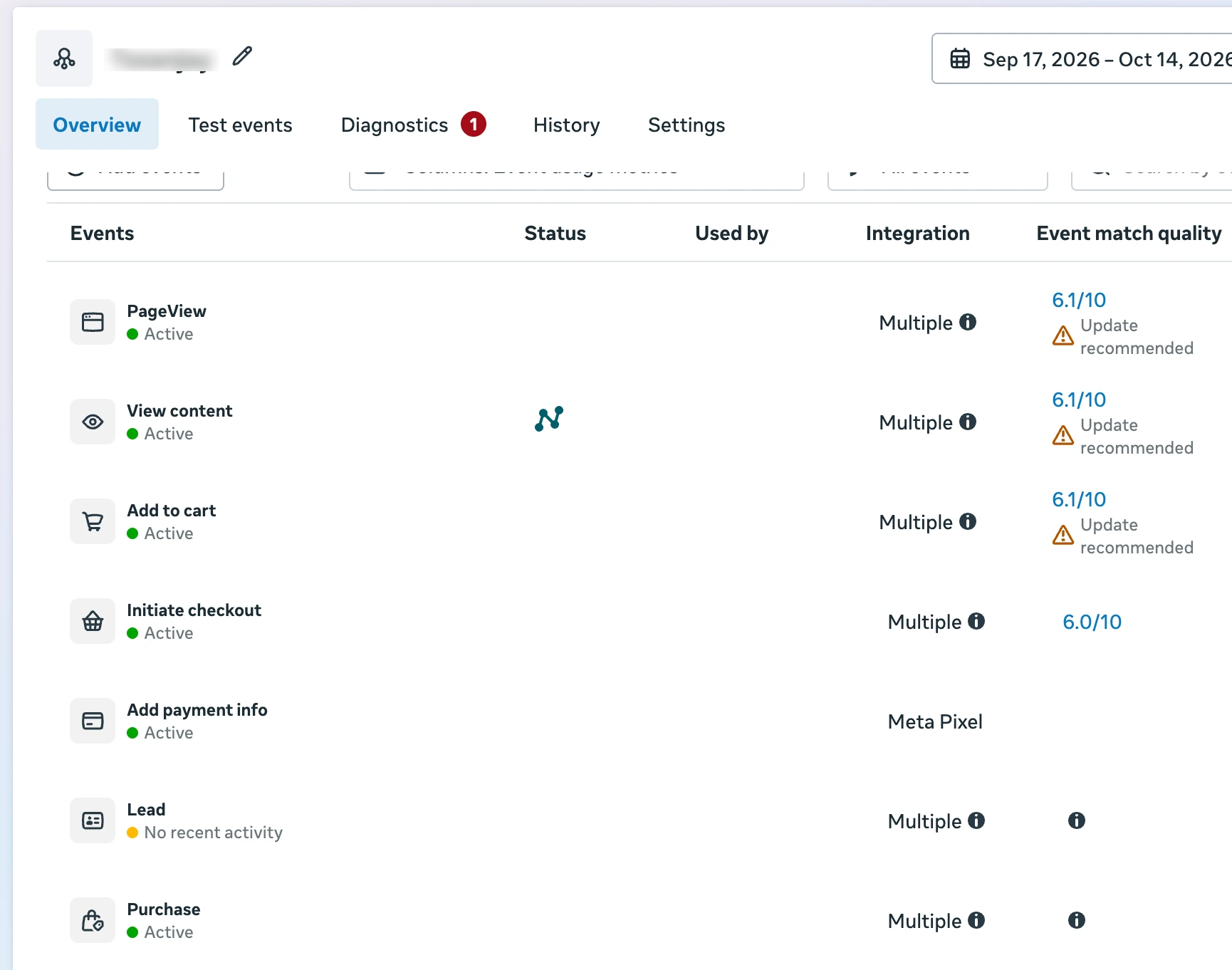
That’s why simply seeing a green Pixel doesn’t answer the real question:
Can you trust the conversion data Meta is showing you?
Wrong tracking can lead to wrong business decisions
When you use inaccurate conversion data to make campaign decisions, the problem can spread into how you spend, optimize, and scale.
-
You may scale the wrong campaigns
A campaign can look stronger than it really is when conversions are duplicated or reported incorrectly.
-
You may pause ads that are actually bringing customers
If real conversions are missing from Meta, a working campaign can appear weaker than it is.
-
You may optimize the wrong part of your funnel
You can spend time changing ads, audiences, or landing pages when the real problem is your measurement.
-
You can waste budget without knowing why
When the numbers you rely on are wrong, every decision built on those numbers becomes harder to trust.


Before you change your ads, budget, or funnel, you need to know whether the data guiding those decisions is accurate.
Stop guessing. Diagnose what is actually happening.
Meta Tracking Diagnostic OS is a step-by-step diagnostic system designed to help you verify whether your Meta tracking is working the way it should.
Instead of assuming your Pixel is fine because events are firing, you check the complete tracking journey against what actually happened in your business.

In under 90 minutes, you can identify:
-
What’s working
See which parts of your tracking are recording correctly.
-
What’s broken
Find missing, duplicate, or inaccurate conversion signals.
-
What needs attention first
Know where the real tracking problem is before changing your ads, funnel, or budget.
No more guessing from green events or conflicting numbers. Get a clear diagnosis of your Meta tracking.
See exactly where your tracking breaks
The diagnostic follows your real conversion journey from the first visit to the final business outcome, so you can see where the data stops matching reality.
-
Map your real customer journey
Identify what actually happens from the Meta ad to the final sale, lead, or conversion.
-
Map what Meta is tracking
See which events Meta is receiving at each important step of that journey.
-
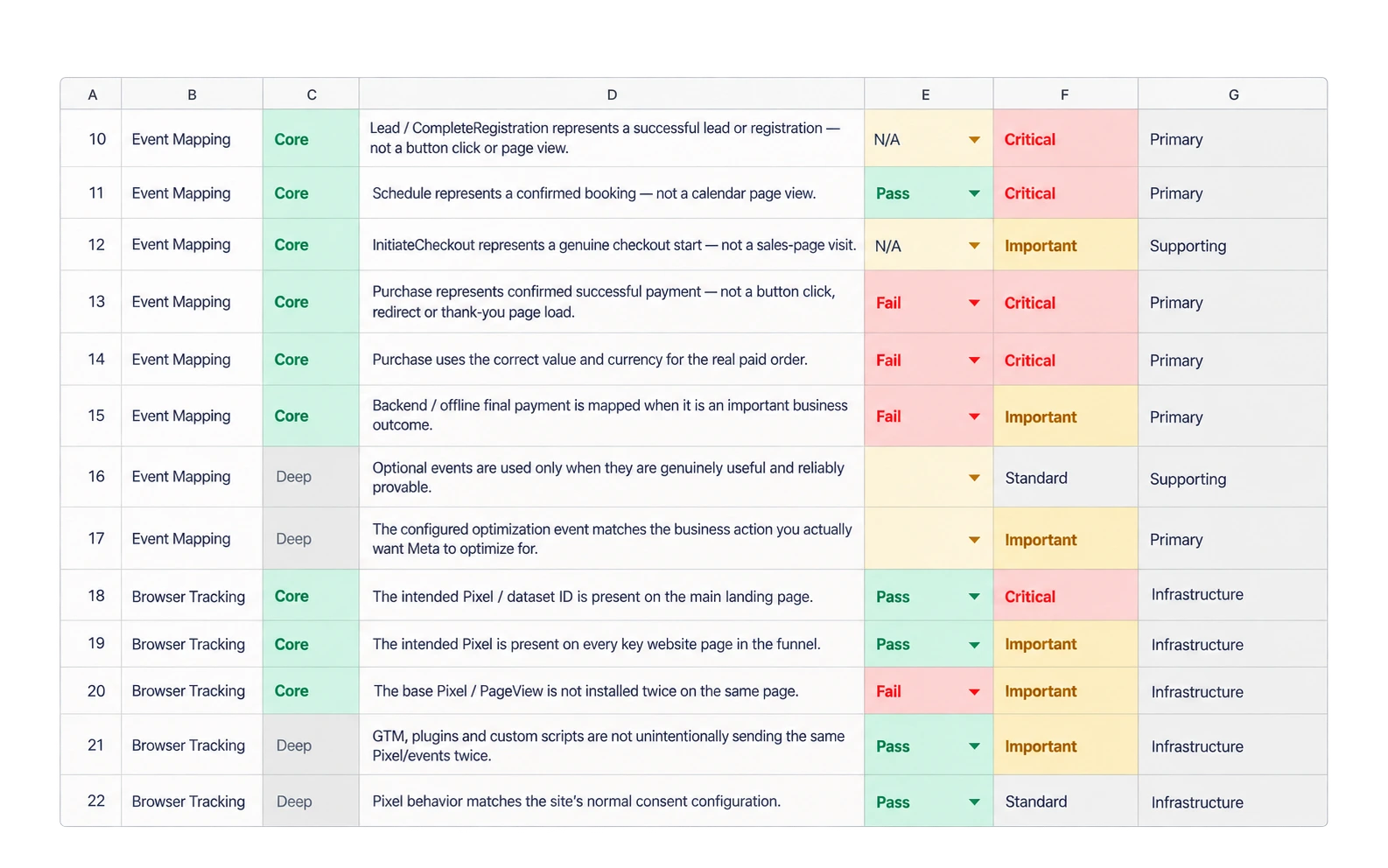
Check the tracking signals
Verify browser and server events, deduplication, match quality, and conversion accuracy.
-
Compare Meta with your real business data
Check Meta’s numbers against your website, checkout, CRM, or payment records.
-
Get your final diagnosis
See what passed, what failed, what is unclear, and what needs attention first.
By the end, you are not guessing where the problem might be. You have a clear picture of what is actually happening.
See what your diagnosis actually looks like
This is not just a checklist of things to inspect. You work through the diagnostic and record what your tracking is actually telling you.

Diagnose each part of your tracking
Use the Diagnostic Workbook to check the important parts of your setup and record what passes, fails, or needs a closer look.
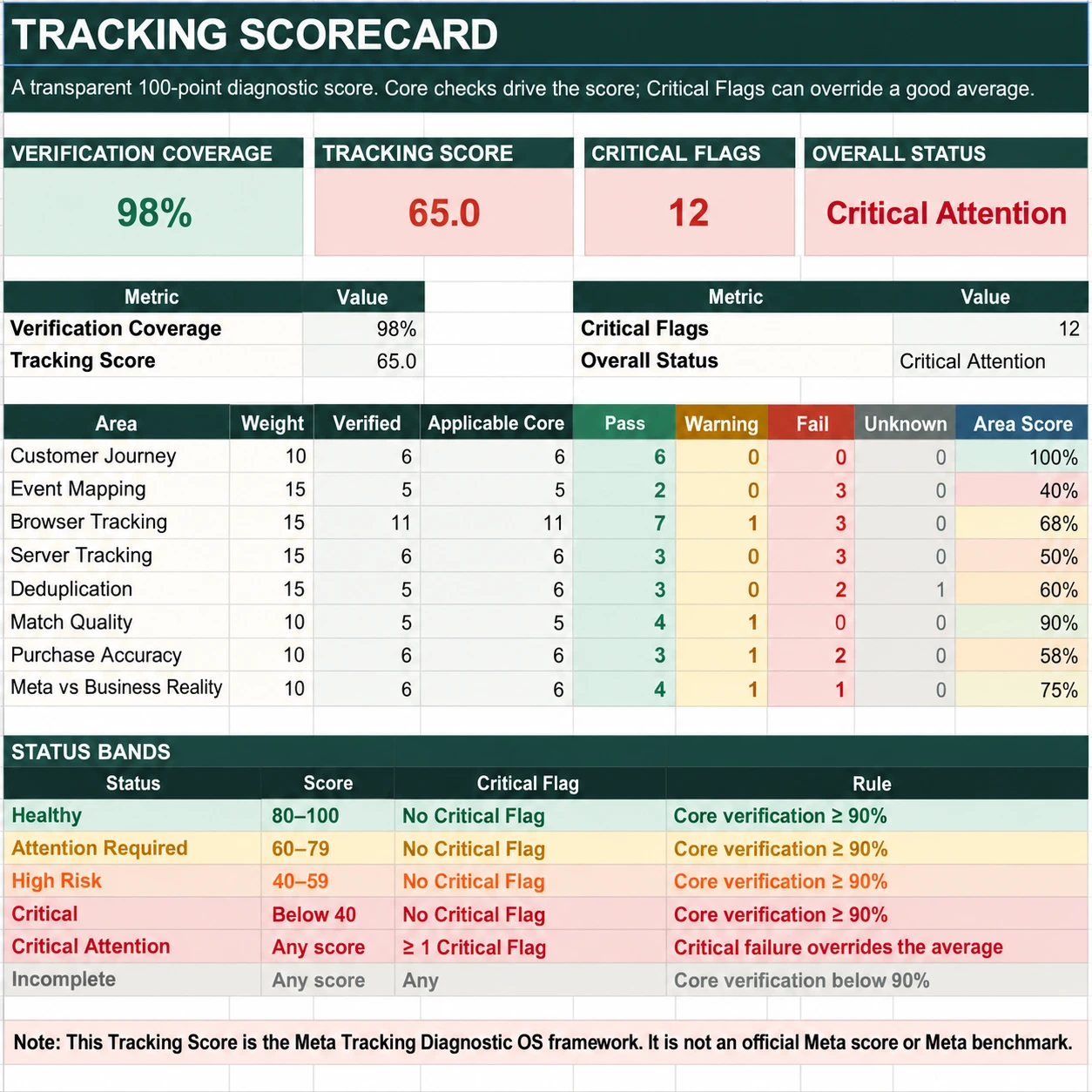
See the overall health of your tracking
Your Tracking Score brings the individual checks together, so you can quickly see where your tracking stands.
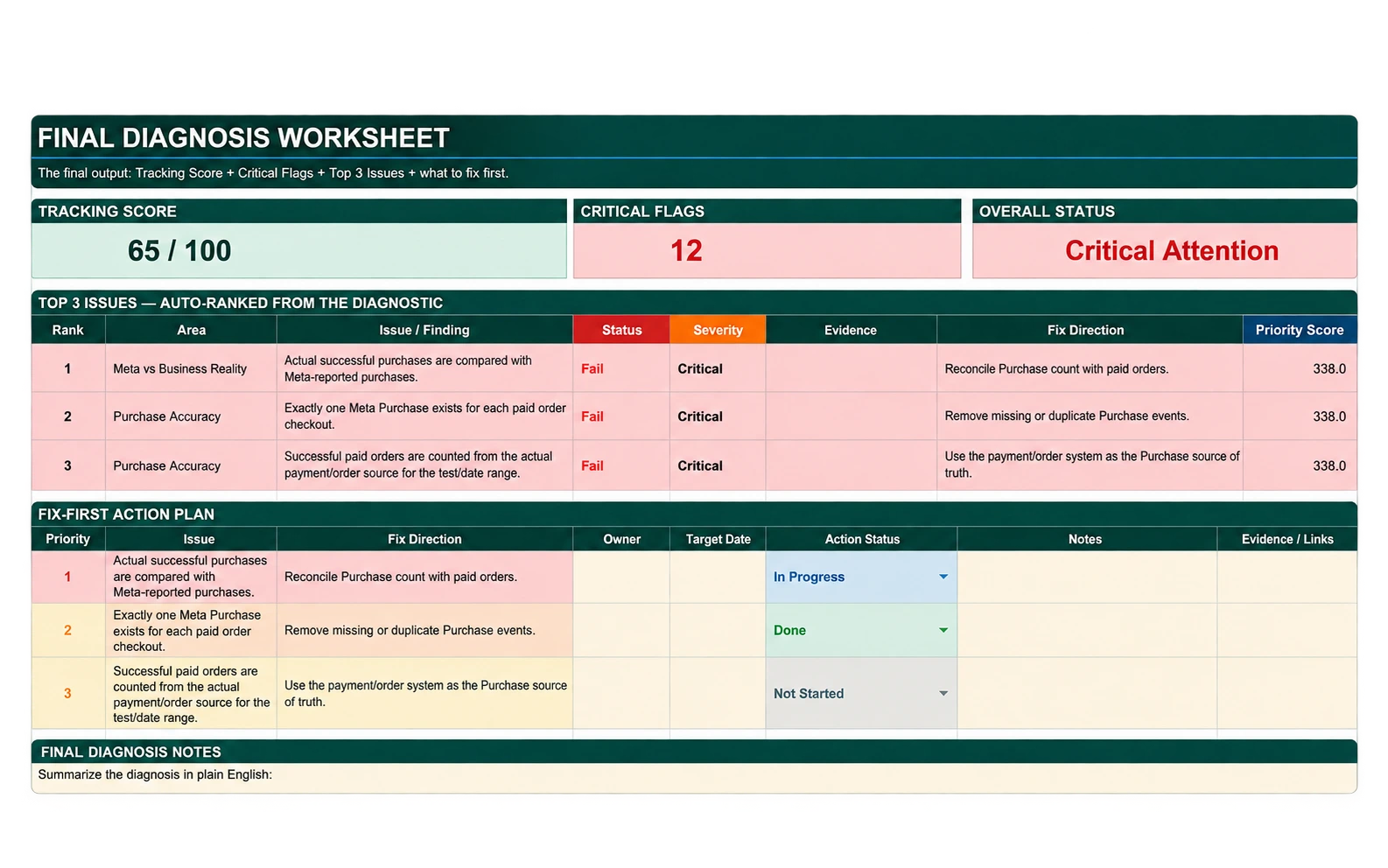
Turn your findings into a final diagnosis
Bring everything together to identify the real issues, their priority, and where your attention should go first.
You are not left with more information to figure out. You finish with your tracking findings organized in one clear diagnosis.
Don’t trust one number. Verify it against what actually happened.
Meta can tell you what it recorded.
Your website, checkout, CRM, or payment system tells you what actually happened in the business.
The diagnostic puts those numbers side by side so you can see whether they truly match.
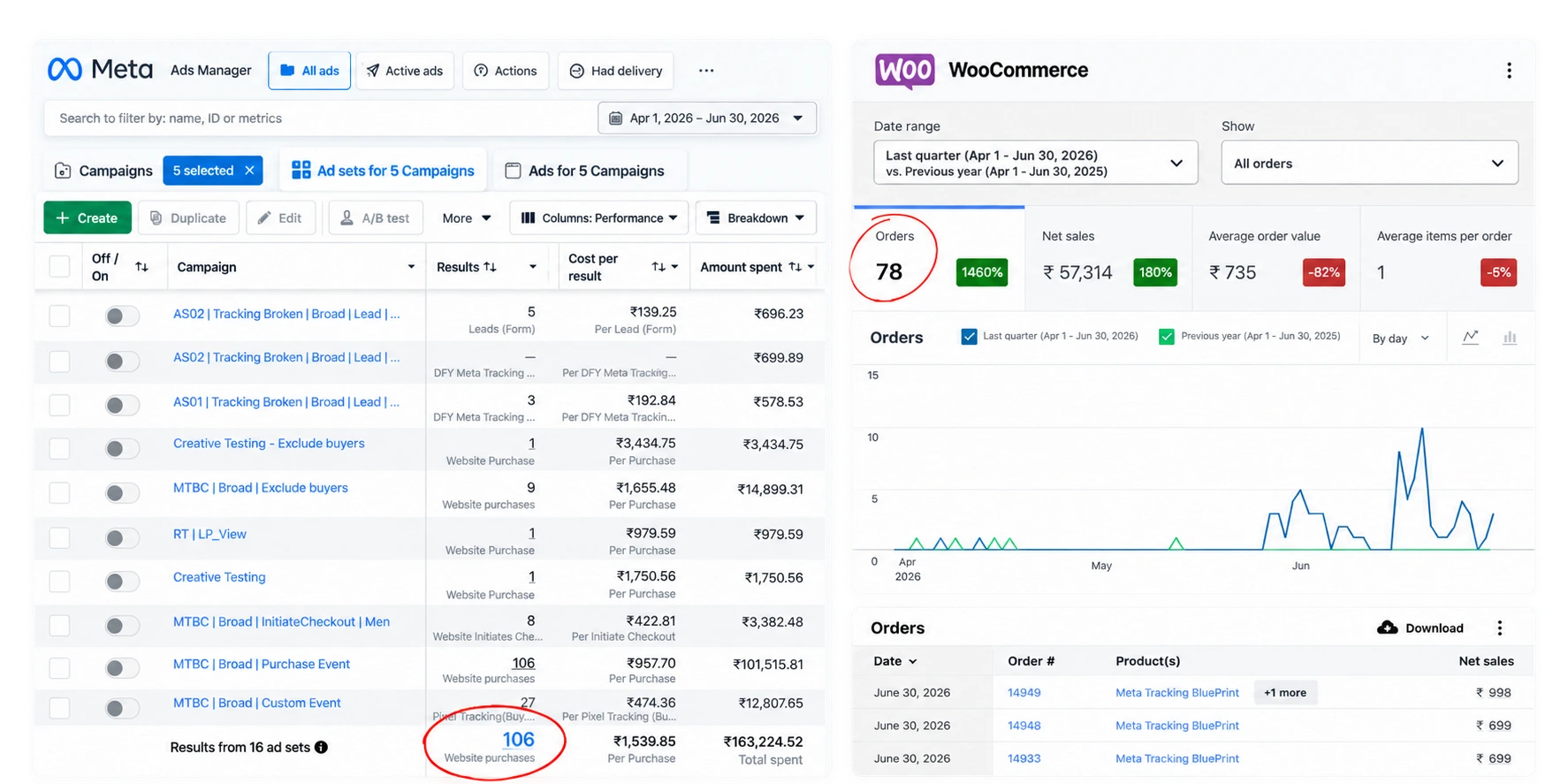
See the difference for yourself
Check whether conversions are missing, duplicated, or accurately recorded before you rely on them for campaign decisions.
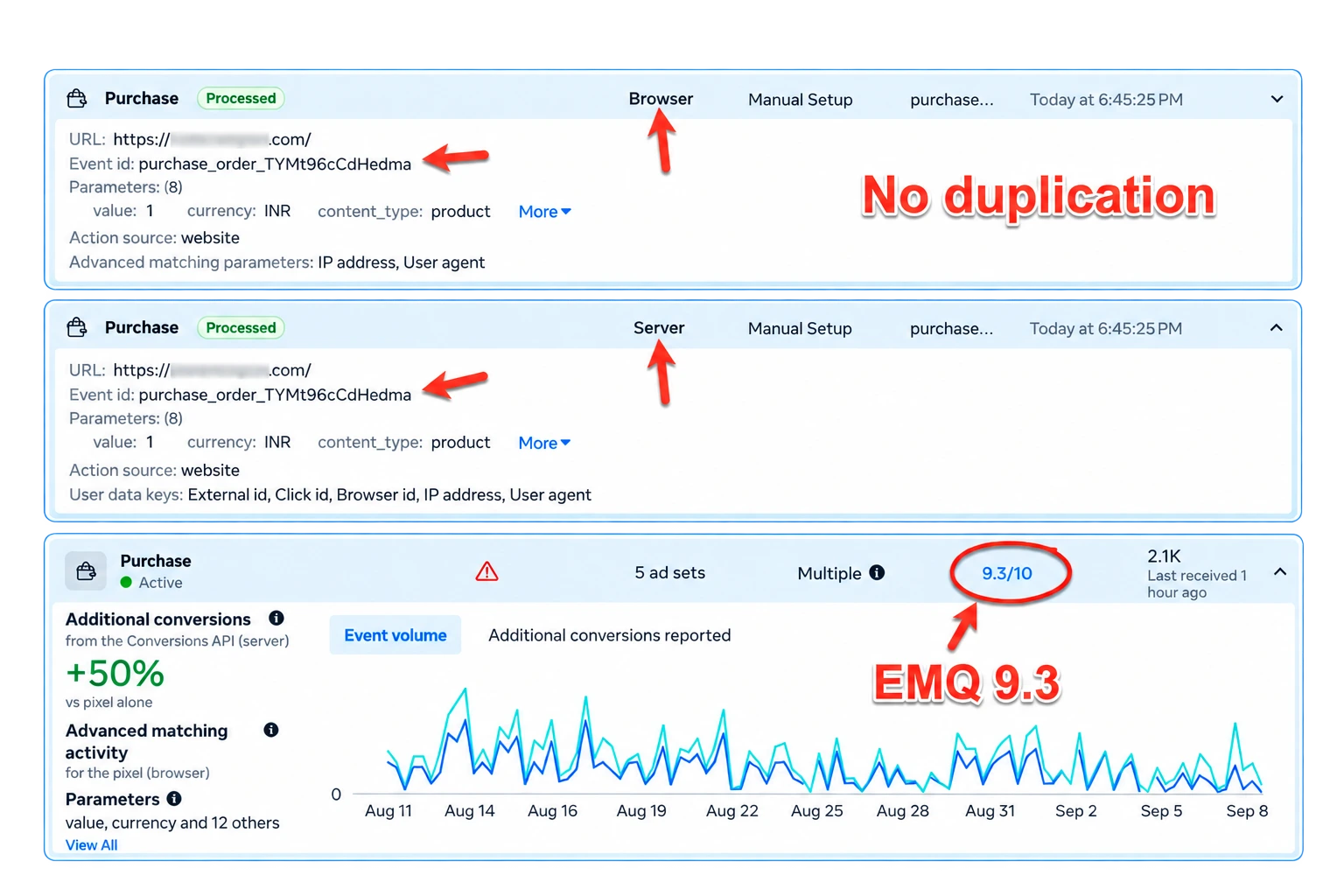
Your diagnosis is based on evidence from both sides, not assumptions from a single platform.
Built from real tracking work, not theory

I’m Sanjay, founder of Tagsil.
I work hands-on with Meta tracking across browser events, server-side signals, conversion matching, deduplication, and real business outcomes.
I built the Meta Tracking Diagnostic OS to turn that diagnostic process into a clear system you can follow yourself, so you can verify your tracking before making decisions based on the numbers Meta shows you.
- ₹6 Cr
- Personal ad spend
- 50K+
- Leads captured
- 14
- Product launches
- 7 yrs
- Building digital products
The goal is simple: help you understand what your tracking is actually doing before you try to optimize anything else.
Diagnose your tracking before your next campaign decision
Get the complete Meta Tracking Diagnostic OS and find out whether the conversion data you rely on can be trusted.
Everything you need to complete your diagnosis
- 10 guided diagnostic video lessons
- Diagnostic Workbook
- Tracking Score
- Final Diagnosis Sheet
- 1-year access
₹499 + 18% GST
Diagnose My TrackingKnow what your tracking is actually telling you before you change your ads, budget, or funnel.
Get the diagnosis. Keep the risk with us.
30 Days. 100% Money Back. No Questions Asked.
We’re confident in the Meta Tracking Diagnostic OS and the clarity it can give you about your tracking.
Go through the diagnostic. If you decide it is not right for you, ask for a refund within 30 days and get your money back.
Questions before you start?
Is this a course?
Not exactly. It is a guided diagnostic system. The 10 video lessons walk you through the checks, while the Workbook, Tracking Score, and Final Diagnosis help you record and understand what you find.
Will this fix my Meta tracking?
The system is designed to diagnose your tracking, not automatically repair it. You will identify what is working, what is wrong, and what needs attention first.
What if my Pixel is already active and showing green?
That does not always mean your conversion data is accurate. The diagnostic helps you check whether the events Meta receives actually match what is happening in your business.
Do I need to be a tracking expert?
No. The diagnostic lessons take you through the process step by step so you know what to check and what the results mean.
How long does the diagnostic take?
The complete diagnostic is designed to be completed in under 90 minutes.
What will I have when I finish?
You will have your completed diagnostic findings, Tracking Score, and Final Diagnosis showing the state of your Meta tracking and the issues that need attention.
Wrong data gets more expensive the longer you trust it.
The longer you run campaigns on inaccurate tracking, the more you risk wasting budget and making the wrong decisions.
- Find the tracking gaps
- Verify the numbers you can trust
- Know what needs fixing first